

What are Core Web Vitals?
Speed and user experience
How the new ranking factors will impact.
Core Web Vitals are a key Google innovation that allows you to access the ranking algorithm to see how a page measures the key indicators of website quality: user experience.
With Web Vitals, enabled by Apile 2020, Google is specifying a set of three performance metrics to create its "Core Web Vitals," used to evaluate whether a website offers a good user experience. Google is also specifying some key indicator metrics in the Web Vitals specification that are not classified as "core."
Google has highlighted theimportance of website speed since their inception, so no surprises at the moment. However, this is the first time that explicitly identifies the specific performance metrics used to compile the search ranking.
This is a big problem because previously, you had to verify and check hundreds of (sometimes contradictory) pieces of information on the topic, then hypothesize the best strategy for improvement needs and tinker with multiple directives in the hopes of making Google's secret algorithm happy. While quickly building a professional, commercial website can still be challenging, at least now there are some guidelines for where to start.
What should I know about Web Vitals?
Core Web Vitals focus on three simple UX characteristics of a page:
- Loading times
- Interactivity (i.e. page responsiveness)
- Visual stability of the page
The math behind metrics can get complicated, but understanding what Google is trying to achieve can help simplify things.
The Core Web Vitals metrics are as follows:
- Largest Contentful Paint (LCP) - Loading speed
- First Input Delay (FID) / Total Block Time (TBT) - Page interactivity (interctivity)
- Cumulative Layout Shift (CLS) - Visual stability of loading (visual stability)
These Core Web Vitals are metrics that can be used to serve as leading indicators and predict user experience changes.
What is Largest Contentful Paint (LCP)?
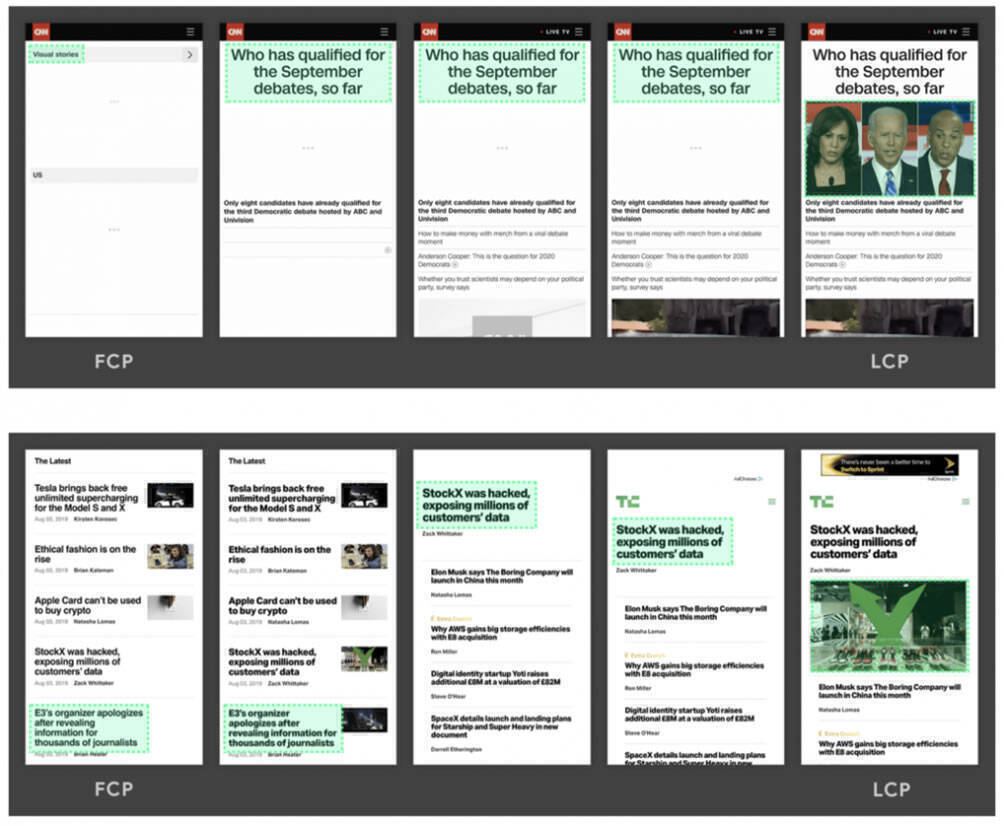
Largest Contentful Paint (LCP) measures the page load times perceived by users. The Largest Contentful Paint (LCP) metric reports the rendering time of the largest visible content element within the viewport (image, video, text, etc.).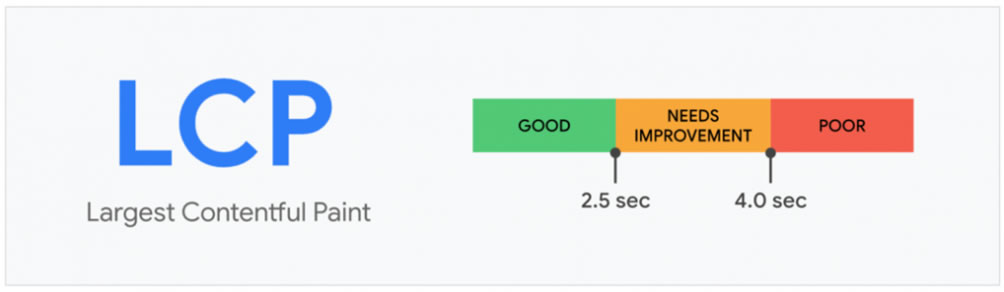
The purpose of LCP is to measure how long it takes for the main content of the page to be displayed in the user's browser, focusing on the user's perceived experience rather than a long list of metrics that measure the various steps of the loading process.
What is First Input Delay (FID)?
First Input Delay (FID) measures the responsiveness of a page to user input. FID measures the time from when a user first interacts with a page (i.e., clicking a link, tapping a button, or using a custom JavaScript-based control) to when the browser is actually able to respond to that interaction.
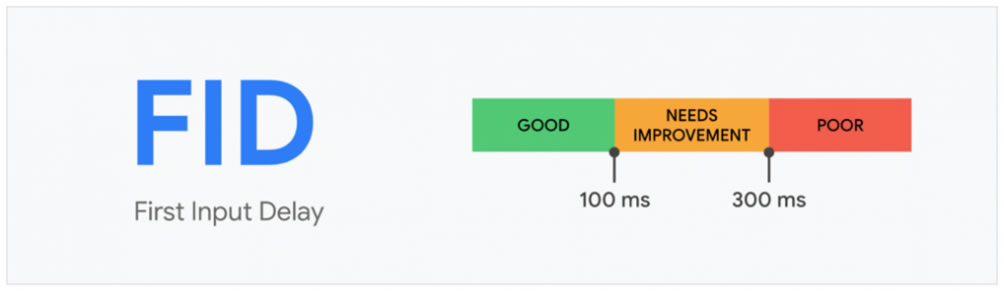
This is important as even very small delays can be very frustrating for users.
What is Cumulative Layout Shift (CLS)?
Cumulative Layout Shift (CLS) measures page stability. CLS is based on a formula that calculates how many times page components move or "shift" during page loading. The fewer shifts, the better. 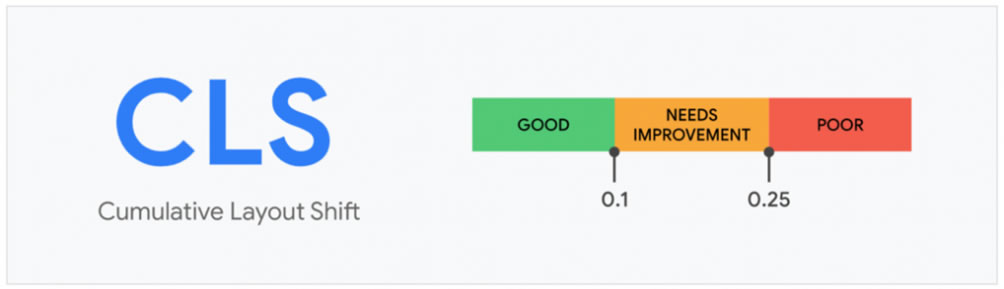
We've all had frustrating experiences with websites that "jump at you" or "attack" you while the page loads. While the page may be ready for interaction, if elements keep "moving," the user experience will be poor.
To quote MOZ: “The distance component is the greatest distance an unstable element has moved in the frame while moving (horizontally or vertically) divided by the largest dimension of the viewport (width or height, whichever is greater), and is always measured as a percentage.”
The CLS is therefore the product of these two components and for a good UX it should be less than 0.1. 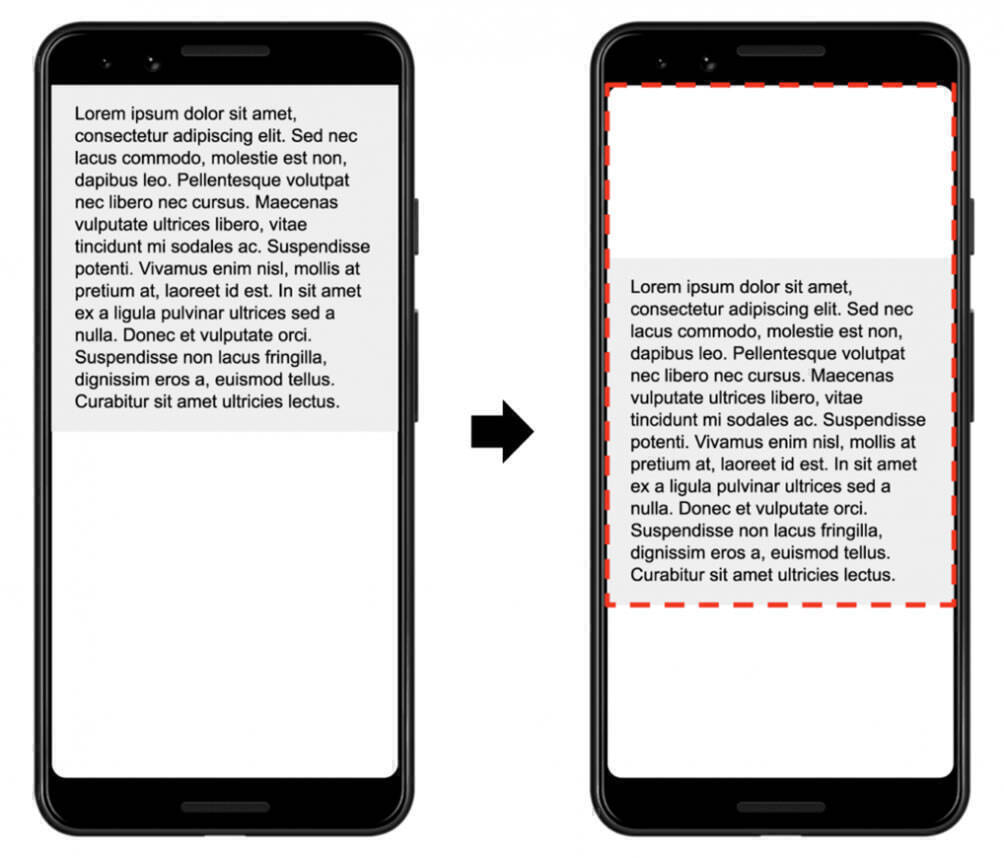
How can I improve my web vitals?
Google recommends fixing all metrics labeled "Poor," and some of the most common page fixes should include:
- reduce page size to less than 500 KB.
- delay loading of scripts and css
- Limit the number of resources on the page to 50. Consider introducing AMP.
- evaluate the use of CDNs
Tools that support Web Vitals
Tool support is still very limited because Web Vitals is so new, but Google has added support for Core Web Vitals to several of its tools to display these metrics for testing. The Webpagetest community has also added support for the metrics in their tests. A plugin for the Google Cheome browser has also been released.
Other metrics besides Web Vitals to track
In addition to Core Web Vitals, there are additional metrics that act as "leading indicators" that can be very useful.
- Time to First Byte (TTFB) - Measures the responsiveness of web servers. LCP driver.
- First Contentful Paint (FCP) - Helps identify if there are render-blocking resources that are slowing down page loading. LCP driver.
- Time to Interactive (TTI) - Measures the time from when the page begins to load until it can respond reliably and quickly to user input. A key factor in FID.
So are Core Web Vitals useful?
Overall, Google's Web Vitals announcement is very positive, and Google's approach helps simplify the user experience. However, Web Vitals will certainly undergo changes in the future. For example, Google is currently on the sixth iteration of its Lighthouse score (which is now driven by Web Vitals).